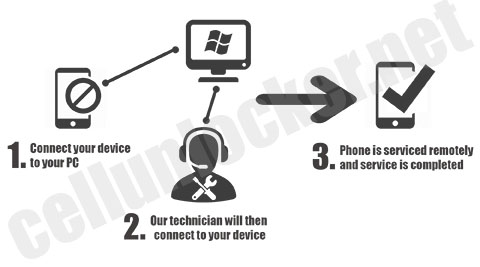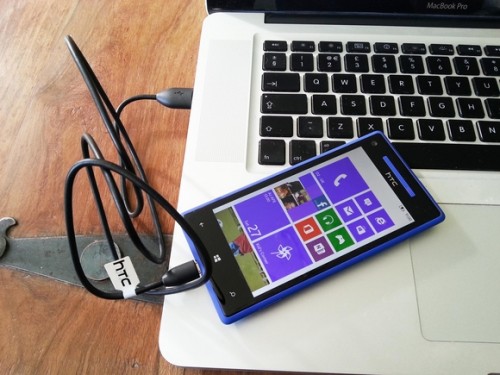
How to Unlock HTC Rhyme

Unlock HTC Rhyme by Unlock Code

This is a tutorial and instructions on how you can unlock your HTC Rhyme by Unlock Code to work on any GSM network.

The new HTC Rhyme has a 3.7″ touchscreen with 480 x 800 pixel resolution. The HTC Rhyme works with a 1 GHz Scorpion processor and runs on the Platform Android OS, v2.3.4 aka Gingerbread. The dimensions comes to about 119 mm in height, 60.8 mm in width and 10.9 mm in depth. The HTC Rhyme is one of the thinnest and lightest Android phones yet. It has 4 GB storage, 768 MB RAM and a microSD slot which supports up to 32 GB. There is also a 5 megapixel camera with 720p video capture. Cellunlocker.net is proud to announce we are unlocking the HTC Rhyme fast and easy.


LOWEST PRICE GUARANTEED! DEAL DIRECTLY WITH THE SOURCE

Cellunlocker.net is proud to announce we can Unlock the HTC Rhyme to any GSM Network fast and easy!

Freeing the network of your phone fast and easy with http://www.cellunlocker.net

Are you receiving “SIM network unlock PIN” ? Unlock it now!

*Note: if you have previously tried to use a faulty code to unlock this device make sure you have enough attempts to enter the code*

After you have unlocked, it is permanently unlocked even after upgrading the firmware.


Once you unlock your HTC Rhyme device, you can change to any GSM Carrier.

Simply enter an unlock code to unlock it. You can get the unlock code HERE

We can eliminate the “Network locked”, “enter network pin” or “network code” or “no SIM card allowed” message by sending you an unlock code email

Once you place your order, we will send you via email:

1. HTC Rhyme Unlock code
2. HTC Rhyme Phone Unlocking instructions

We require your IMEI number. You can find this by pressing *#06# on your phone as if you are making phone call.

Your IMEI number is always 15-17 digits long.

Once you receive your Unlock Code from us by email, simply follow the instructions below and your phone will be free to use on any GSM network.

HTC Rhyme Unlocking Instructions:

1. Input a non accepted SIM card
2. Phone will display enter “SIM network unlock PIN”
3. Input the unlock code that was emailed to you
4. Phone is unlocked!

UNLOCK MY HTC Rhyme NOW!

Reasons to remote unlock your HTC Rhyme with Cellunlocker.net

* If you are travelling, buy a local SIM card and save on roaming fees
* The resell value of the HTC device will increase significantly as it is available to more carriers.
* Easily switch between SIM card, using the same phone.
* Unlock your phone from the comfort of your own home
* You never send your phone to anybody.
* No complicated software, or cable, just simply enter the unlock code we send you
* There is absolutely no risk of damaging your HTC Rhyme by unlocking it.
* Very easy, no technical experience necessary.
* The phone is permanently unlocked, even after updates
* Warranty will not be voided
* 100% Guaranteed, if we cannot get you your unlock code we will refund you no questions asked

UNLOCK MY HTC NOW!

How to Unlock Nokia Lumia 710, 800, 900 Windows Phone by Unocking Code

Unlock Nokia Lumia 710 / 800 / 900 by Unlock Code

This is a tutorial and instructions on how you can unlock any Nokia Lumia by Unlock Code to work on any GSM network.

The new Nokia Lumia is Nokia’s first Windows Smartphone which has been released from networks such as Rogers, Telus, T-mobile, At&t and other GSM Networks.  This phone can be unlocked by Unlock Code or Sim Pin fast and easy by Cellunlocker.net


LOWEST PRICE GUARANTEED! DEAL DIRECTLY WITH THE SOURCE

Cellunlocker.net is proud to announce we can Unlock the Nokia Lumia to any GSM Network fast and easy!

Freeing the network of your phone fast and easy with http://www.cellunlocker.net

Are you receiving “SIM network unlock PIN” ? Unlock it now!

*Note: if you have previously tried to use a faulty code to unlock this device make sure you have enough attempts to enter the code*

After you have unlocked, it is permanently unlocked even after upgrading the firmware.

Once you unlock your Nokia Lumia device, you can change to any GSM Carrier.

Customer Unlocking Examples:

Rogers Lumia 900

Telus Lumia 800

T-Mobile Lumia 710

Simply enter an unlock code to unlock it. You can get the unlock code HERE

We can eliminate the “Network locked”, “enter network pin” or “network code” or “no SIM card allowed” message by sending you an unlock code email

Once you place your order, we will send you via email:

1. Nokia Lumia 710 / 800 / 900 Unlock code
2. Nokia Lumia Unlocking instructions

We require your IMEI number. You can find this by pressing *#06# on your phone as if you are making phone call.

Your IMEI number is always 15-17 digits long.

Once you receive your Unlock Code from us by email, simply follow the instructions below and your phone will be free to use on any GSM network.

Nokia Lumia Unlocking Instructions:

1. Switch ON your phone with a non accepted simcard
2. Phone will ask you to Enter Unlock Pin

3. Input the 8 digit Unlock Code

UNLOCK MY Nokia Lumia NOW!

Reasons to remote unlock your Nokia Lumia 800 with Cellunlocker.net

* If you are travelling, buy a local SIM card and save on roaming fees
* The resell value of the Nokia device will increase significantly as it is available to more carriers.
* Easily switch between SIM card, using the same phone.
* Unlock your phone from the comfort of your own home
* You never send your phone to anybody.
* No complicated software, or cable, just simply enter the unlock code we send you
* There is absolutely no risk of damaging your Nokia Lumia 800by unlocking it.
* Very easy, no technical experience necessary.
* The phone is permanently unlocked, even after updates
* Warranty will not be voided
* 100% Guaranteed, if we cannot get you your unlock code we will refund you no questions asked

UNLOCK MY Nokia Lumia NOW!

How to Unlock Samsung DoubleTime SGH-i857

Unlock Samsung DoubleTime i875 from At&t by Unlock Code

This is a tutorial and instructions on how you can unlock your Samsung DoubleTime i857 from Networks like At&t by Unlock Code to work on any GSM network.

The new Samsung DoubleTime SGH-i857 has a 3.2″ touchscreen with 320 x 480 pixel resolution. The Samsung DoubleTime works with a 600 MHz processor and runs on the platform Android OS, v2.2 aka Froyo. The dimensions comes to about 113 mm in height, 62 mm in width and 15 mm in depth and weighs about 148 g. The Samsung DoubleTime has 260 MB storage and has a microSD slot which supports up to 32 GB. There is also a 3.15 megapixel camera with video capture. Cellunlocker.net is proud to announce we are unlocking the Samsung DoubleTime fast and easy.


LOWEST PRICE GUARANTEED! DEAL DIRECTLY WITH THE SOURCE

Cellunlocker.net is proud to announce we can Unlock the Samsung DoubleTime i857 work on any GSM Network fast and easy!

Freeing the network of your phone fast and easy with http://www.cellunlocker.net

Are you receiving “SIM network unlock PIN” ? Unlock it now!

*Note: if you have previously tried to use a faulty code to unlock this device make sure you have enough attempts to enter the code*

After you have unlocked, it is permanently unlocked even after upgrading the firmware.

Once you unlock your Samsung DoubleTime device SGH-i857, you can change to any GSM Carrier.

Simply enter an unlock code to unlock it. You can Get Samsung Doubletime i857 Unlock Code

We can eliminate the “Network locked”, “enter network pin” or “network code” or “no SIM card allowed” message by sending you an unlock code email

Once you place your order, we will send you via email:

1. Samsung DoubleTime SGH-i857Unlock code
2. Samsung DoubleTime Phone Unlocking instructions

We require your IMEI number. You can find this by pressing *#06# on your phone as if you are making phone call.

Your IMEI number is always 15-17 digits long.

Once you receive your Unlock Code from us by email, simply follow the instructions below and your phone will be free to use on any GSM network.

Samsung DoubleTime Unlocking Instructions:

1. Input a non accepted SIM card
2. Phone will display enter “SIM network unlock PIN”
3. Input the unlock code that was emailed to you
4. Phone is unlocked!

UNLOCK MY Samsung DoubleTime i857 NOW!

Reasons to remote unlock your Samsung DoubleTime with Cellunlocker.net

* If you are travelling, buy a local SIM card and save on roaming fees
* The resell value of the Samsung device will increase significantly as it is available to more carriers.
* Easily switch between SIM card, using the same phone.
* Unlock your phone from the comfort of your own home
* You never send your phone to anybody.
* No complicated software, or cable, just simply enter the unlock code we send you
* There is absolutely no risk of damaging your Samsung DoubleTime by unlocking it.
* Very easy, no technical experience necessary.
* The phone is permanently unlocked, even after updates
* Warranty will not be voided
* 100% Guaranteed, if we cannot get you your unlock code we will refund you no questions asked

UNLOCK SAMSUNG DOUBLETIME i857

How to Unlock Blackberry 9380 Curve

Unlock Blackberry Curve 9380 by MEP Unlock Code Instantly!

unlock curve 9380

This is a tutorial and instructions on how you can unlock your Blackberry 9380 Curve by Unlock Code to work on any GSM network.

The new Blackberry 9380 Curve has a 3.2″ screen with 360 x 480 pixel resolution. The Blackberry 9380 Curve works with a 806 MHz processor and runs on BlackBerry OS 7.0. The dimensions comes to about 109 mm in height, 60 mm in width and 11.2 mm in depth and weighs about 98 g. A micro USB connector is located on the left side of the handset, while the screen lock key is placed on top. There is also a 5 megapixel camera with video capture. Cellunlocker.net is proud to announce we are unlocking the Blackberry 9380 Curve fast and easy.


LOWEST PRICE GUARANTEED! DEAL DIRECTLY WITH THE SOURCE

Cellunlocker.net is proud to announce we can Unlock the Blackberry 9380 Curve to any GSM Network fast and easy!

Freeing the network of your phone fast and easy with http://www.cellunlocker.net

Are you receiving “Enter Network MEP Code” ? Unlock it now!

*Note: if you have previously tried to use a faulty code to unlock this device make sure you have enough attempts to enter the code*

After you have unlocked, it is permanently unlocked even after upgrading the firmware.

Once you unlock your Blackberry 9380 Curve device, you can change to any GSM Carrier.

Simply enter an unlock code to unlock it. You can get the unlock code HERE

We can eliminate the “Enter Network MEP Code” or “network code” or “no SIM card allowed” message by sending you an unlock code email

Once you place your order, we will send you via email:

1. Blackberry 9380 Curve Unlock code
2. Blackberry 9380 Curve Phone Unlocking instructions

We require your IMEI number. You can find this by pressing *#06# on your phone as if you are making phone call.

Your IMEI number is always 15-17 digits long.

Once you receive your Unlock Code from us by email, simply follow the instructions below and your phone will be free to use on any GSM network.

Blackberry 9380 Curve Unlocking Instructions:

1. Input a non accepted SIM card
2. Phone will display enter “Network MEP Code”
3. Input the unlock code that was emailed to you
4. Phone is unlocked!

UNLOCK MY Blackberry 9380 Curve NOW!

Reasons to remote unlock your Blackberry 9380 Curve with Cellunlocker.net

* If you are travelling, buy a local SIM card and save on roaming fees
* The resell value of the Blackberry device will increase significantly as it is available to more carriers.
* Easily switch between SIM card, using the same phone.
* Unlock your phone from the comfort of your own home
* You never send your phone to anybody.
* No complicated software, or cable, just simply enter the unlock code we send you
* There is absolutely no risk of damaging your Blackberry 9380 Curve by unlocking it.
* Very easy, no technical experience necessary.
* The phone is permanently unlocked, even after updates
* Warranty will not be voided
* 100% Guaranteed, if we cannot get you your unlock code we will refund you no questions asked

UNLOCK MY Blackberry NOW!

How to Unlock Blackberry 9790 Bold

Unlock Blackberry Bold 9790 by Unlock Code Instantly!

unlock bold 9790

This is a tutorial and instructions on how you can unlock your Blackberry 9790 Bold by Unlock Code to work on any GSM network.

The new Blackberry 9790 Bold has a 2.45″ screen with 480 x 360 pixel resolution. The Blackberry 9790 Bold works with a Marvel Tavor MG1 1 GHz processor and runs on BlackBerry OS 7.0. The dimensions comes to about 110 mm in height, 60 mm in width and 11.4 mm in depth and weighs about 107 g. A micro USB connector is located on the left side of the handset, while the screen lock key is placed on top. There is also a 5 megapixel camera with video capture. Cellunlocker.net is proud to announce we are unlocking the Blackberry 9790 Bold fast and easy.


LOWEST PRICE GUARANTEED! DEAL DIRECTLY WITH THE SOURCE

Watch and See Exactly how we Unlock your Bold 9790

Cellunlocker.net is proud to announce we can Unlock the Blackberry 9790 Bold to any GSM Network fast and easy!

Freeing the network of your phone fast and easy with http://www.cellunlocker.net

Are you receiving “Enter Network MEP Code” ? Unlock it now!

*Note: if you have previously tried to use a faulty code to unlock this device make sure you have enough attempts to enter the code*

After you have unlocked, it is permanently unlocked even after upgrading the firmware.

Once you unlock your Blackberry 9790 Bold device, you can change to any GSM Carrier.

Simply enter an unlock code to unlock it. You can get the unlock code HERE

We can eliminate the “Enter Network MEP Code” or “network code” or “no SIM card allowed” message by sending you an unlock code email

Once you place your order, we will send you via email:

1. Blackberry 9790 Bold Unlock code
2. Blackberry 9790 Bold Phone Unlocking instructions

We require your IMEI number. You can find this by pressing *#06# on your phone as if you are making phone call.

Your IMEI number is always 15-17 digits long.

Once you receive your Unlock Code from us by email, simply follow the instructions below and your phone will be free to use on any GSM network.

Blackberry 9790 Bold Unlocking Instructions:

1. Input a non accepted SIM card
2. Phone will display enter “Network MEP Code”
3. Input the unlock code that was emailed to you
4. Phone is unlocked!

UNLOCK MY Blackberry 9790 Bold NOW!

Reasons to remote unlock your Blackberry 9790 Bold with Cellunlocker.net

* If you are travelling, buy a local SIM card and save on roaming fees
* The resell value of the Blackberry device will increase significantly as it is available to more carriers.
* Easily switch between SIM card, using the same phone.
* Unlock your phone from the comfort of your own home
* You never send your phone to anybody.
* No complicated software, or cable, just simply enter the unlock code we send you
* There is absolutely no risk of damaging your Blackberry 9790 Bold by unlocking it.
* Very easy, no technical experience necessary.
* The phone is permanently unlocked, even after updates
* Warranty will not be voided
* 100% Guaranteed, if we cannot get you your unlock code we will refund you no questions asked

UNLOCK MY Blackberry NOW!

How to Unlock Motorola RAZR XT910

Unlock Motorola RAZR XT910 by Unlock code

This is a tutorial and instructions on how you can unlock your Motorola RAZR XT910 by Unlock Code to work on any GSM network.

The new Motorola RAZR XT910 has a 4.3″ touchscreen with a 540 x 960 pixel resolution. The Motorola RAZR XT910 works with a 1.2 GHz dual-core Cortex-A9 CPU and with the Platform Android OS v2.3.5 aka Gingerbread. The dimensions are about 130.7 mm in height, 68.9 mm in width and 7.1 mm in depth and weighs about 127 g. The Motorola RAZR XT910 is one of the thinnest and lightest Android phones yet. The micro USB connector and HDMI port is located on the top of the handset, while the power/screen lock key and volume rocker are placed on the top. There is also a 8 megapixel camera with 1080p video capture. Cellunlocker.net is proud to announce we are unlocking the Motorola RAZR XT910 fast and easy.


Watch Exactly to see how we do it!

LOWEST PRICE GUARANTEED! DEAL DIRECTLY WITH THE SOURCE

Cellunlocker.net is proud to announce we can Unlock the Motorola RAZR XT910 to any GSM Network fast and easy!

Freeing the network of your phone fast and easy with http://www.cellunlocker.net

Are you receiving “SIM network unlock PIN” ? Unlock it now!

*Note: if you have previously tried to use a faulty code to unlock this device make sure you have enough attempts to enter the code*

After you have unlocked, it is permanently unlocked even after upgrading the firmware.

Once you unlock your Motorola RAZR XT910 device, you can change to any GSM Carrier.

Simply enter an unlock code to unlock it. You can get the unlock code HERE

We can eliminate the “Network locked”, “enter network pin” or “network code” or “no SIM card allowed” message by sending you an unlock code email

Once you place your order, we will send you via email:

1. Motorola RAZR XT910 Unlock code

2. Motorola RAZR XT910 Unlocking instructions

We require your IMEI number. You can find this by pressing *#06# on your phone as if you are making phone call.

Your IMEI number is always 15-17 digits long.

Once you receive your Unlock Code from us by email, simply follow the instructions below and your phone will be free to use on any GSM network.

Motorola RAZR XT910 Unlocking Instructions:

1. Turn on phone with a non accepted SIM card
2. Phone will prompt you to enter “network unlock code”
3. Enter the unlock code we provided
4. Your phone is unlocked!

UNLOCK MY Motorola RAZR XT910 NOW!

Reasons to remote unlock your Motorola RAZR XT910 with Cellunlocker.net

* If you are travelling, buy a local SIM card and save on roaming fees
* The resell value of the Motorola device will increase significantly as it is available to more carriers.
* Easily switch between SIM card, using the same phone.
* Unlock your phone from the comfort of your own home
* You never send your phone to anybody.
* No complicated software, or cable, just simply enter the unlock code we send you
* There is absolutely no risk of damaging your Motorola RAZR XT910 by unlocking it.
* Very easy, no technical experience necessary.
* The phone is permanently unlocked, even after updates
* Warranty will not be voided
* 100% Guaranteed, if we cannot get you your unlock code we will refund you no questions asked

UNLOCK MY Motorola NOW!

How to Unlock LG E900h Optimus 7

Unlock LG e900h Optimus 7 by Unlock Code

This is a tutorial and instructions on how you can unlock your LG E900h Optimus 7 by Unlock Code to work on any GSM network.

The new LG E900h Optimus 7 has a 3.8″ touchscreen with a 480 x 800 pixel resolution. The LG E900h Optimus 7 works with a 1 GHz Scorpion processor and runs with the Microsoft Windows Phone 7 OS. The dimensions are about 125 mm in height, 59.8 mm in width and 11.5 mm in depth and weighs about 157 g. The LG E900h Optimus 7 is one of the thinnest and lightest Android phones yet. There is a 5 megapixel camera with 720p video capture. Cellunlocker.net is proud to announce we are unlocking the LG E900h Optimus 7 fast and easy.


LOWEST PRICE GUARANTEED! DEAL DIRECTLY WITH THE SOURCE

Cellunlocker.net is proud to announce we can Unlock the LG E900h Optimus 7 to any GSM Network fast and easy!

Freeing the network of your phone fast and easy with http://www.cellunlocker.net

Are you receiving “Network Locked” ? Unlock it now!

*Note: if you have previously tried to use a faulty code to unlock this device make sure you have enough attempts to enter the code*

After you have unlocked, it is permanently unlocked even after upgrading the firmware.

Once you unlock your LG E900h Optimus 7 device, you can change to any GSM Carrier.

Simply enter an unlock code to unlock it. You can get the unlock code HERE

We can eliminate the “Network locked”, “enter network pin” or “network code” or “no SIM card allowed” message by sending you an unlock code email

Once you place your order, we will send you via email:

1. LG E900h Optimus 7 Unlock code
2. LG Phone Unlocking instructions

We require your IMEI number. You can find this by pressing *#06# on your phone as if you are making phone call.

Your IMEI number is always 15-17 digits long.

Once you receive your Unlock Code from us by email, simply follow the instructions below and your phone will be free to use on any GSM network.

LG E900h Optimus 7 Unlocking Instructions:

1. Turn on phone with a non-accepted SIM card
2. Phone will prompt you for unlock code
3. Enter code that we provided
4. Your phone is unlocked!

* Some models may require a service provider code (SPCK code)

We also provide you with all the unlock codes you need such as the network lock, service provider lock, NCK, NSCK, SPCK, CPCK, SIMCK,

UNLOCK MY LG E900h Optimus 7 NOW!

Reasons to remote unlock your LG E900h Optimus 7 with Cellunlocker.net

* If you are travelling, buy a local SIM card and save on roaming fees
* The resell value of the LG device will increase significantly as it is available to more carriers.
* Easily switch between SIM card, using the same phone.
* Unlock your phone from the comfort of your own home
* You never send your phone to anybody.
* No complicated software, or cable, just simply enter the unlock code we send you
* There is absolutely no risk of damaging your LG E900h Optimus 7 by unlocking it.
* Very easy, no technical experience necessary.
* The phone is permanently unlocked, even after updates
* Warranty will not be voided
* 100% Guaranteed, if we cannot get you your unlock code we will refund you no questions asked

UNLOCK MY LG NOW!

How to Unlock HTC Vivid LTE

Unlock HTC Vivid LTE from At&t by Unlock Code

This is a tutorial and instructions on how you can unlock your HTC Vivid LTE by Unlock Code to work on any GSM network.

The new HTC Vivid LTE has a 4.5″ touchscreen with 540 x 960 pixel resolution. The HTC Vivid LTE works with a 1.2 GHz dual-core processor and runs on the Platform Android OS, v2.3.5 aka Gingerbread. The dimensions comes to about 129 mm in height, 67 mm in width and 11 mm in depth. The HTC Vivid LTE is one of the thinnest and lightest Android phones yet. It has 16 GB internal storage and has a microSD slot which supports up to 32 GB. There is also a 8 megapixel camera with 1080p video capture. Cellunlocker.net is proud to announce we are unlocking the HTC Vivid LTE fast and easy.


LOWEST PRICE GUARANTEED! DEAL DIRECTLY WITH THE SOURCE

Cellunlocker.net is proud to announce we can Unlock the HTC Vivid LTE to any GSM Network fast and easy!

Freeing the network of your phone fast and easy with http://www.cellunlocker.net

Are you receiving “SIM network unlock PIN” ? Unlock it now!

*Note: if you have previously tried to use a faulty code to unlock this device make sure you have enough attempts to enter the code*

After you have unlocked, it is permanently unlocked even after upgrading the firmware.


Once you unlock your HTC Vivid LTE device, you can change to any GSM Carrier.

Simply enter an unlock code to unlock it. You can get the unlock code HERE

We can eliminate the “Network locked”, “enter network pin” or “network code” or “no SIM card allowed” message by sending you an unlock code email

Once you place your order, we will send you via email:

1. HTC Vivid LTE Unlock code
2. HTC Vivid LTE Phone Unlocking instructions

We require your IMEI number. You can find this by pressing *#06# on your phone as if you are making phone call.

Your IMEI number is always 15-17 digits long.

Once you receive your Unlock Code from us by email, simply follow the instructions below and your phone will be free to use on any GSM network.

HTC Vivid LTE Unlocking Instructions:

1. Input a non accepted SIM card
2. Phone will display enter “SIM network unlock PIN”
3. Input the unlock code that was emailed to you
4. Phone is unlocked!

UNLOCK MY HTC Vivid LTE NOW!

Reasons to remote unlock your HTC Vivid LTE with Cellunlocker.net

* If you are travelling, buy a local SIM card and save on roaming fees
* The resell value of the HTC device will increase significantly as it is available to more carriers.
* Easily switch between SIM card, using the same phone.
* Unlock your phone from the comfort of your own home
* You never send your phone to anybody.
* No complicated software, or cable, just simply enter the unlock code we send you
* There is absolutely no risk of damaging your HTC Vivid LTE by unlocking it.
* Very easy, no technical experience necessary.
* The phone is permanently unlocked, even after updates
* Warranty will not be voided
* 100% Guaranteed, if we cannot get you your unlock code we will refund you no questions asked

UNLOCK MY HTC NOW!

How to Unlock Samsung i727 Galaxy S 2 II Skyrocket 4G LTE

Unlock Samsung Galaxy S 2 II Skyrocket 4G LTE from AT&T by Unlock Code

This is a tutorial and instructions on how you can unlock your Samsung i727 Galaxy S II Skyrocket Unlock Code from At&T to work on any GSM network.

The new Samsung i727 Galaxy S II Skyrocket has a 4.5″ touchscreen with 480 x 800 pixel resolution. The Samsung i727 Galaxy S II Skyrocket works with a 1.5 GHz dual-core processor and runs on the platform Android OS, v2.3.5 aka Gingerbread. The dimensions comes to about 129.8 mm in height, 68.8 mm in width and 9.5 mm in depth and weighs about 130.5 g. The Samsung i727 Galaxy S II Skyrocket has 16GB internal storage, 1 GB RAM and has a microSD slot which supports up to 32 GB. There is also a 8 megapixel camera with 1080p video capture. Cellunlocker.net is proud to announce we are unlocking the Samsung i727 Galaxy S II Skyrocket fast and easy.

LOWEST PRICE GUARANTEED! DEAL DIRECTLY WITH THE SOURCE

Cellunlocker.net is proud to announce we can Unlock the Samsung i727 Galaxy S II Skyrocket to any GSM Network fast and easy!

Freeing the network of your phone fast and easy with http://www.cellunlocker.net

Are you receiving “SIM network unlock PIN” ? Unlock it now!

*Note: if you have previously tried to use a faulty code to unlock this device make sure you have enough attempts to enter the code*

After you have unlocked, it is permanently unlocked even after upgrading the firmware.

Once you unlock your Samsung i727 Galaxy S II Skyrocket device, you can change to any GSM Carrier.

Simply enter an unlock code to unlock it. You can get the unlock code HERE

We can eliminate the “Network locked”, “enter network pin” or “network code” or “no SIM card allowed” message by sending you an unlock code via email

Customer’s Galaxy Skyrocket i727 Unlocked Successfully:

OR

OR

Once you place your order, we will send you via email:

1. Samsung i727 Galaxy S II Skyrocket Unlock code

2. Samsung i727 Galaxy S II Skyrocket Phone Unlocking instructions

We require your IMEI number. You can find this by pressing *#06# on your phone as if you are making phone call.

Your IMEI number is always 15-17 digits long.

Once you receive your Unlock Code from us by email, simply follow the instructions below and your phone will be free to use on any GSM network.

Samsung i727 Galaxy S II Skyrocket Unlocking Instructions:

1. Input a non accepted SIM card

2. Phone will display enter “SIM network unlock PIN”

3. Input the unlock code that was emailed to you

4. Phone is unlocked!

UNLOCK MY Samsung i727 Galaxy S II Skyrocket NOW!

Reasons to remote unlock your Samsung i727 Galaxy S II Skyrocket with Cellunlocker.net

* If you are travelling, buy a local SIM card and save on roaming fees

* The resell value of the Samsung device will increase significantly as it is available to more carriers.

* Easily switch between SIM card, using the same phone.

* Unlock your phone from the comfort of your own home

* You never send your phone to anybody.

* No complicated software, or cable, just simply enter the unlock code we send you

* There is absolutely no risk of damaging your Samsung i727 Galaxy S II Skyrocket by unlocking it.

* Very easy, no technical experience necessary.

* The phone is permanently unlocked, even after updates

* Warranty will not be voided

* 100% Guaranteed, if we cannot get you your unlock code we will refund you no questions asked

UNLOCK MY Samsung Galaxy Skyrocket NOW!

How to Unlock Samsung i727 Galaxy S II LTE

Unlock Samsung Galaxy S II LTE i727 by Unlock Code

This is a tutorial and instructions on how you can unlock your Samsung i727 Galaxy S II LTE Unlock Code from Networks like At&t, Rogers and any other GSM networks.

The new Samsung i727 Galaxy S II LTE has a 4.5″ touchscreen with 480 x 800 pixel resolution. The Samsung i727 Galaxy S II LTE works with a 1.5 GHz Scorpion dual-core processor and runs on the platform Android OS, v2.3 aka Gingerbread. The dimensions comes to about 129.8 mm in height, 68.8 mm in width and 9.5 mm in depth and weighs about 130.5 g. The Samsung i727 Galaxy S II LTE has 16GB internal storage, 1 GB RAM and has a microSD slot which supports up to 32 GB. There is also a 8 megapixel camera with 1080p video capture. Cellunlocker.net is proud to announce we are unlocking the Samsung i727 Galaxy S II LTE fast and easy.


LOWEST PRICE GUARANTEED! DEAL DIRECTLY WITH THE SOURCE

Cellunlocker.net is proud to announce we can Unlock the Samsung i727 Galaxy S II LTE to any GSM Network fast and easy!

Freeing the network of your phone fast and easy with http://www.cellunlocker.net

Are you receiving “SIM network unlock PIN” ? Unlock it now!

*Note: if you have previously tried to use a faulty code to unlock this device make sure you have enough attempts to enter the code*

After you have unlocked, it is permanently unlocked even after upgrading the firmware.

Once you unlock your Samsung i727 Galaxy S II LTE device, you can change to any GSM Carrier.

Simply enter an unlock code to unlock it. You can get the unlock code HERE

We can eliminate the “Network locked”, “enter network pin” or “network code” or “no SIM card allowed” message by sending you an unlock code via email

Unlocking Successful from Customers:

OR

Once you place your order, we will send you via email:

1. Samsung i727 Galaxy S II LTE Unlock code
2. Samsung i727 Galaxy S II LTE Phone Unlocking instructions

We require your IMEI number. You can find this by pressing *#06# on your phone as if you are making phone call.

Your IMEI number is always 15-17 digits long.

Once you receive your Unlock Code from us by email, simply follow the instructions below and your phone will be free to use on any GSM network.

Samsung i727 Galaxy S II LTE Unlocking Instructions:

1. Input a non accepted SIM card
2. Phone will display enter “SIM network unlock PIN”
3. Input the unlock code that was emailed to you
4. Phone is unlocked!

UNLOCK MY Samsung i727 Galaxy S II LTE NOW!

Reasons to remote unlock your Samsung i727 Galaxy S II LTE with Cellunlocker.net

* If you are travelling, buy a local SIM card and save on roaming fees
* The resell value of the Samsung device will increase significantly as it is available to more carriers.
* Easily switch between SIM card, using the same phone.
* Unlock your phone from the comfort of your own home
* You never send your phone to anybody.
* No complicated software, or cable, just simply enter the unlock code we send you
* There is absolutely no risk of damaging your Samsung i727 Galaxy S II LTE by unlocking it.
* Very easy, no technical experience necessary.
* The phone is permanently unlocked, even after updates
* Warranty will not be voided
* 100% Guaranteed, if we cannot get you your unlock code we will refund you no questions asked

UNLOCK MY Samsung NOW!