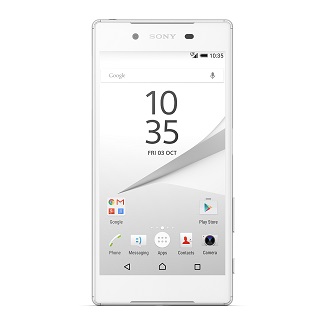
How to Unlock Sony Ericsson W518a

This is guide on how to unlock your Sony Ericsson W518a to any GSM network.

Phones will often come locked to a certain carrier or network so you cannot switch SIM cards using the same phone.

You can unlock

Cingular / AT&T Sony Ericsson W518a

and all other carriers.

In order to unlock your mobile phone to any GSM network you will require a remote unlock code.

How to get an unlock code for Sony Ericsson W518a

Do a code look up to find out if your IMEI number is found.  We can 99% percent of the time help you free your phone.

You can get the unlock code from HERE

In order to unlock your phone, we require your IMEI number.  You can find this by pressing *#06# on your phone as if you are making phone call.

Your IMEI number is always 15-17 digits long.

Once you receive your Unlock Code from us by email, simply follow the instructions below and your phone will be free to use on any GSM network.

Sony Ericsson W518a Unlocking Instructions

1 – Switch ON your phone without SIM Card,
2 – Press 1 time the left arrow,
3 – Press 2 times the button * ,
4 – Press 1 time the left arrow,
5 – The message “Personalize with MNC2″ will appear,
6 – You can now enter the Unlock Code we send to you.

How to Unlock Your Sony Ericsson via software

This is guide on how to unlock your Sony Ericsson via software to any GSM network.  You can also use this software to unlock

phones that are hard locked which means that the incorrect code has been entered too many times and there are no more attempts to enter the

unlock code.

Phones will often come locked to a certain carrier or network so you cannot switch SIM cards using the same phone.

You can unlock

T-Mobile Sony Ericsson

Cingular / AT&T Sony Ericsson

Rogers Sony Ericsson

Orange UK Sony Ericsson

T-Mobile UK Sony Ericsson

Vodafone UK Sony Ericsson

and all other carriers.

In order to unlock your mobile phone to any GSM network you will require a remote unlock code.

How to get the unlocking software for Sony Ericsson

Place your order through our website for the unlocking software first by providing us with your IMEI # (You can find this by pressing *#06# on your phone as if you are making phone call.  Your IMEI number is always 15-17 digits long but we will only require the first 15 digits of your IMEI #).  We will email you the download link for the software along with username and password.

Once you receive your unlocking software from us by email, simply follow the instructions below and your phone will be free to use on any GSM network.

Sony Ericsson Software Unlocking Instructions

1. Turn off your phone
2. Remove your battery
3. Place it back in phone
4. Leave phone turned off
5. Press back button and hold it
6. Insert cable
7. Phone will go in flash mode
8. Software will detect phone and start procedure

How to Unlock Sony Ericsson Z610i

This is guide on how to unlock your Sony Ericsson Z610i to any GSM network.

Phones will often come locked to a certain carrier or network so you cannot switch SIM cards using the same phone.

You can unlock

T-Mobile Sony Ericsson Z610i

Cingular / AT&T Sony Ericsson Z610i

Orange UK Sony Ericsson Z610i

T-Mobile UK Sony Ericsson Z610i

Vodafone UK Sony Ericsson Z610i

and all other carriers.

In order to unlock your mobile phone to any GSM network you will require a remote unlock code.

How to get an unlock code for Sony Ericsson Z610i

Do a code look up to find out if your IMEI number is found.  We can 99% percent of the time help you free your phone.

You can get the unlock code from HERE

In order to unlock your phone, we require your IMEI number.  You can find this by pressing *#06# on your phone as if you are making phone call.

Your IMEI number is always 15-17 digits long.

Once you receive your Unlock Code from us by email, simply follow the instructions below and your phone will be free to use on any GSM network.

Sony Ericsson Z610i Unlocking Instructions

1 – Switch ON your phone without SIM Card,
2 – Press 1 time the left arrow,
3 – Press 2 times the button * ,
4 – Press 1 time the left arrow,
5 – The message “Personalize with MNC2″ will appear,
6 – You can now enter the Unlock Code we send to you.

How to Unlock Sony Ericsson Z600

This is guide on how to unlock your Sony Ericsson Z600 to any GSM network.

Phones will often come locked to a certain carrier or network so you cannot switch SIM cards using the same phone.

You can unlock

T-Mobile Sony Ericsson Z600

Cingular / AT&T Sony Ericsson Z600

Orange UK Sony Ericsson Z600

T-Mobile UK Sony Ericsson Z600

Vodafone UK Sony Ericsson Z600

and all other carriers.

In order to unlock your mobile phone to any GSM network you will require a remote unlock code.

How to get an unlock code for Sony Ericsson Z600

Do a code look up to find out if your IMEI number is found.  We can 99% percent of the time help you free your phone.

You can get the unlock code from HERE

In order to unlock your phone, we require your IMEI number.  You can find this by pressing *#06# on your phone as if you are making phone call.

Your IMEI number is always 15-17 digits long.

Once you receive your Unlock Code from us by email, simply follow the instructions below and your phone will be free to use on any GSM network.

Sony Ericsson Z600 Unlocking Instructions

1 – Switch ON your phone without SIM Card,
2 – Press 1 time the left arrow,
3 – Press 2 times the button * ,
4 – Press 1 time the left arrow,
5 – The message “Personalize with MNC2″ will appear,
6 – You can now enter the Unlock Code we send to you.

How to Unlock Sony Ericsson Z530i

This is guide on how to unlock your Sony Ericsson Z530i to any GSM network.

Phones will often come locked to a certain carrier or network so you cannot switch SIM cards using the same phone.

You can unlock

T-Mobile Sony Ericsson Z530i

Orange UK Sony Ericsson Z530i

T-Mobile UK Sony Ericsson Z530i

Vodafone UK Sony Ericsson Z530i

and all other carriers.

In order to unlock your mobile phone to any GSM network you will require a remote unlock code.

How to get an unlock code for Sony Ericsson Z530i

Do a code look up to find out if your IMEI number is found.  We can 99% percent of the time help you free your phone.

You can get the unlock code from HERE

In order to unlock your phone, we require your IMEI number.  You can find this by pressing *#06# on your phone as if you are making phone call.

Your IMEI number is always 15-17 digits long.

Once you receive your Unlock Code from us by email, simply follow the instructions below and your phone will be free to use on any GSM network.

Sony Ericsson Z530i Unlocking Instructions

1 – Switch ON your phone without SIM Card,
2 – Press 1 time the left arrow,
3 – Press 2 times the button * ,
4 – Press 1 time the left arrow,
5 – The message “Personalize with MNC2″ will appear,
6 – You can now enter the Unlock Code we send to you.

How to Unlock Sony Ericsson Z200

This is guide on how to unlock your Sony Ericsson Z200 to any GSM network.

Phones will often come locked to a certain carrier or network so you cannot switch SIM cards using the same phone.

You can unlock

T-Mobile Sony Ericsson Z200

Cingular / AT&T Sony Ericsson Z200

Orange UK Sony Ericsson Z200

T-Mobile UK Sony Ericsson Z200

Vodafone UK Sony Ericsson Z200

and all other carriers.

In order to unlock your mobile phone to any GSM network you will require a remote unlock code.

How to get an unlock code for Sony Ericsson Z200

Do a code look up to find out if your IMEI number is found.  We can 99% percent of the time help you free your phone.

You can get the unlock code from HERE

In order to unlock your phone, we require your IMEI number.  You can find this by pressing *#06# on your phone as if you are making phone call.

Your IMEI number is always 15-17 digits long.

Once you receive your Unlock Code from us by email, simply follow the instructions below and your phone will be free to use on any GSM network.

Sony Ericsson Z200 Unlocking Instructions

1 – Switch ON your phone without SIM Card,
2 – Press 1 time the left arrow,
3 – Press 2 times the button * ,
4 – Press 1 time the left arrow,
5 – The message “Personalize with MNC2″ will appear,
6 – You can now enter the Unlock Code we send to you.

How to Unlock Sony Ericsson W980i

This is guide on how to unlock your Sony Ericsson W980i to any GSM network.

Phones will often come locked to a certain carrier or network so you cannot switch SIM cards using the same phone.

You can unlock

T-Mobile Sony Ericsson W980i

Orange UK Sony Ericsson W980i

T-Mobile UK Sony Ericsson W980i

Vodafone UK Sony Ericsson W980i

and all other carriers.

In order to unlock your mobile phone to any GSM network you will require a remote unlock code.

How to get an unlock code for Sony Ericsson W980i

Do a code look up to find out if your IMEI number is found.  We can 99% percent of the time help you free your phone.

You can get the unlock code from HERE

In order to unlock your phone, we require your IMEI number.  You can find this by pressing *#06# on your phone as if you are making phone call.

Your IMEI number is always 15-17 digits long.

Once you receive your Unlock Code from us by email, simply follow the instructions below and your phone will be free to use on any GSM network.

Sony Ericsson W980i Unlocking Instructions

1 – Switch ON your phone without SIM Card,
2 – Press 1 time the left arrow,
3 – Press 2 times the button * ,
4 – Press 1 time the left arrow,
5 – The message “Personalize with MNC2″ will appear,
6 – You can now enter the Unlock Code we send to you.

How to Unlock Sony Ericsson W960i

This is guide on how to unlock your Sony Ericsson W960i to any GSM network.

Phones will often come locked to a certain carrier or network so you cannot switch SIM cards using the same phone.

You can unlock

T-Mobile Sony Ericsson W960i

Orange UK Sony Ericsson W960i

T-Mobile UK Sony Ericsson W960i

Vodafone UK Sony Ericsson W960i

and all other carriers.

In order to unlock your mobile phone to any GSM network you will require a remote unlock code.

How to get an unlock code for Sony Ericsson W960i

Do a code look up to find out if your IMEI number is found.  We can 99% percent of the time help you free your phone.

You can get the unlock code from HERE

In order to unlock your phone, we require your IMEI number.  You can find this by pressing *#06# on your phone as if you are making phone call.

Your IMEI number is always 15-17 digits long.

Once you receive your Unlock Code from us by email, simply follow the instructions below and your phone will be free to use on any GSM network.

Sony Ericsson W960i Unlocking Instructions

1 – Switch ON your phone without SIM Card,
2 – Press 1 time the left arrow,
3 – Press 2 times the button * ,
4 – Press 1 time the left arrow,
5 – The message “Personalize with MNC2″ will appear,
6 – You can now enter the Unlock Code we send to you.

How to Unlock Sony Ericsson W950i

This is guide on how to unlock your Sony Ericsson W950i to any GSM network.

Phones will often come locked to a certain carrier or network so you cannot switch SIM cards using the same phone.

You can unlock

T-Mobile Sony Ericsson W950i

Orange UK Sony Ericsson W950i

T-Mobile UK Sony Ericsson W950i

Vodafone UK Sony Ericsson W950i

and all other carriers.

In order to unlock your mobile phone to any GSM network you will require a remote unlock code.

How to get an unlock code for Sony Ericsson W950i

Do a code look up to find out if your IMEI number is found.  We can 99% percent of the time help you free your phone.

You can get the unlock code from HERE

In order to unlock your phone, we require your IMEI number.  You can find this by pressing *#06# on your phone as if you are making phone call.

Your IMEI number is always 15-17 digits long.

Once you receive your Unlock Code from us by email, simply follow the instructions below and your phone will be free to use on any GSM network.

Sony Ericsson W950i Unlocking Instructions

1 – Switch ON your phone without SIM Card,
2 – Press 1 time the left arrow,
3 – Press 2 times the button * ,
4 – Press 1 time the left arrow,
5 – The message “Personalize with MNC2″ will appear,
6 – You can now enter the Unlock Code we send to you.

How to Unlock Sony Ericsson W910i

This is guide on how to unlock your Sony Ericsson W910i to any GSM network.

Phones will often come locked to a certain carrier or network so you cannot switch SIM cards using the same phone.

You can unlock

T-Mobile Sony Ericsson W910i

Cingular / AT&T Sony Ericsson W910i

Orange UK Sony Ericsson W910i

T-Mobile UK Sony Ericsson W910i

Vodafone UK Sony Ericsson W910i

and all other carriers.

In order to unlock your mobile phone to any GSM network you will require a remote unlock code.

How to get an unlock code for Sony Ericsson W910i

Do a code look up to find out if your IMEI number is found.  We can 99% percent of the time help you free your phone.

You can get the unlock code from HERE

In order to unlock your phone, we require your IMEI number.  You can find this by pressing *#06# on your phone as if you are making phone call.

Your IMEI number is always 15-17 digits long.

Once you receive your Unlock Code from us by email, simply follow the instructions below and your phone will be free to use on any GSM network.

Sony Ericsson W910i Unlocking Instructions

1 – Switch ON your phone without SIM Card,
2 – Press 1 time the left arrow,
3 – Press 2 times the button * ,
4 – Press 1 time the left arrow,
5 – The message “Personalize with MNC2″ will appear,
6 – You can now enter the Unlock Code we send to you.