

Unlock Samsung
Unlock iPhone
Unlock LG
Unlock Motorola
Unlock Alcatel
Unlock Sony Xperia
Unlock ZTE
Unlock Huawei
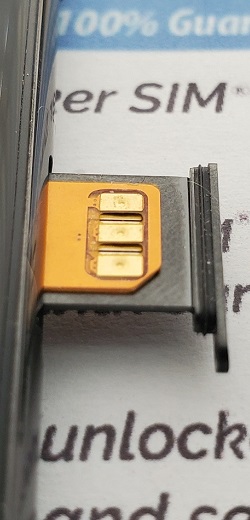
CU SIM Unlock

Remote Services
Instruction Video
Need Your Phone While Travelling?
Why Choose Cellunlocker?
Certified Technicians
Competitive Pricing
Money Back Guarantee
Changing Service Providers
Support Available 24/7
Unlock Internationally
0
0
0
0
0
0
Recent Unlock Orders in Real Time
John Abimbola
Apple iPhone 15 Pro Max
2 h ago
Stephanie Gardner
Samsung Galaxy Z Fold 5
15 h ago
Colvet Walker
Motorola Moto G Play
16 h ago
Scott Kuhn
Apple iPhone 13 Pro
18 h ago
Dominick Lee
Samsung Galaxy Note 9 SM-N960U
18 h ago
Ximena Millones
Apple iPhone 7
19 h ago
Asen Okovski
Samsung SM-G870A Galaxy S5 Active
22 h ago
Ellen Faude
Apple iPhone 15 Pro Max
23 h ago
Testimonials
Got my code within the specified time frame. They gave clear instructions and followed up with me if the unlock was successful. Will definitely use again.
This is my first time. Unlocked a Galaxy A5 locked to Koodo in Canada. Unlock code works 100%. Fantastic service, fast and efficient.
Very friendly staff. assisted with all my queries. and their service was done within the time specified.
Highly recommend their service.
Ordered an iphone to be unlocked. Got it unlocked within 24 hours. Great experience. Good service.
<
>
1/4
4.5/5
1,072 reviews
5/5
1,569 reviews
4.5/5
1,033 reviews
87%
1,972 reviews
April 30, 2024 // 21 h ago

April 29, 2024 // 2 d ago
April 24, 2024 // 7 d ago
Free your device from your carrier with our Cell unlock codes!
Do you want to switch network providers but not buy a new phone? Going on vacation and want to use a local GSM SIM card with your phone? Selling your old device? You've certainly come to the right place!We have the LOWEST PRICE & FASTEST TURNAROUND TIME
We provide your personal unlock codes and easy to follow instructions.
Still not sure how to unlock your device?
Don't worry. Our highly trained customer support team is available to guide you through the process via e-mail or telephone. (10am-6pm Pacific Time)
Cell Unlock Codes Processed & Emailed 24 hrs a day 7 days a week. Our Automated System delivers Fast & Accurate Results.
Our automated system will process your order online and send your cell unlock code via email for fastest results. We guarantee 100% that no one will be faster and have a lower price than Cellunlocker.net. We are the leading #1 Phone Unlocking company in the industry today.Are you a store owner? Do you need many unlock codes?
No problem! If you need special pricing for bulk unlock code orders please contact us and let us know. We understand that pricing and speed of code delivery is important to your business. We have very competitive pricing for those working in the mobile/cellular industry. Please contact us regarding wholesale/bulk pricing for Cell Unlock Codes.What are people saying about us?
Trusted By Thousands Worldwide
Cell Unlock your phone to use on GSM networks across the World!
Please make sure the network you are trying to use your unlocked phone on is a GSM carrier. Otherwise it may not be compatible with your unlocked phone. Please check with us before your buy an unlock code if you are not sure.
We offer the easiest way to unlock your device, via remote IMEI unlock code. All we need to know is your IMEI number (press *#06# on your device), network lock and model. That's it! No cables or taking your phone apart!
We have generated thousands and thousands of Cell unlock codes for cellular devices for the past 8 years. Our smartphone unlocking codes are personalized to your device and are 100% guaranteed to work or your money back*.
We can Unlock 99% of Networks
Cellunlocker.net can unlock most GSM Carriers cross the world. Whether you are trying to unlock a phone in North America, Europe, Australia, Asia, South America and over 180 Countries in the World, if we can't do it, most likely no one else can. We provide the largest database of accurate Unlock Codes and Unlocking solutions in the World today. We can even unlock the phones which Service Providers claim cannot be unlocked. Our most popular GSM Network Phone Unlocking includes:Before you place your order
Contact Our Support Team- Make sure your phone is listed on the models being offered
- Double check that the simcard you are trying to use is compatible with the device your are unlocking. We are not responsible if the device is unlocked and the simcard you are trying to use is not compatible
- Please read the terms and conditions HERE before ordering
- Make sure your phone has not been attempted to be unlocked before
- If the order is already being processed there are no order cancellations
- Please read our article regarding turnaround time HERE, please keep in mind the processing time for some methods may take longer than others
Send this to a friend