
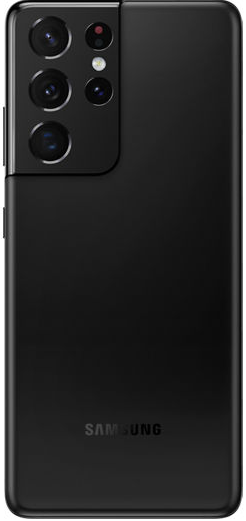
Samsung Galaxy S3 III GT-i9300 being released in the UK!
The News is out! The Samsung Galaxy S III is being released in the UK tentatively at the end of May
The Carriers Vodafone, O2, and Three UK are now taking pre orders for the new Galaxy S III phone. The new Samsung device is scheduled to be officially released at the end of May 2012.
What does the new Galaxy S 3 have to offer to its potential buyers?
Samsung Galaxy S III (S3) Main Features:
4.8 Inch Super AMOLED HD (1280×720) Display + Gorilla Glass 2
Quad Core 1.4GHZ Exynos Processor
WiFi, GPS, Bluetooth 4.0, NFC
8MP 1080p Camera – 1.9MP Front Facing Camera
Samsung Galaxy SIII (S3) Smart Features:
S-Voice
Smart Stay
Smart Alert
S-Beam
S-Cloud
On screen Multi-tasking (Pop UP Play)
Be the first one to have Samsung’s new flagship phone, the GT-i9300 Samsung Galaxy S3.
iPhone Permanent Factory Unlock. Unlock UK iPhone 3G / 3Gs / 4 / 4S for United Kingdom Networks.
This is the World’s ONLY permanent Factory Unlocking Solutions for UK iPhones. Once unlocked, it will never lock back up again, as it becomes a “Factory Unlocked iPhone”
Unlock Vodafone UK iPhone
Unlock Orange UK iPhone
Unlock T-Mobile UK iPhone
Unlock O2 UK iPhone
*Note if your iPhone is not listed here, please contact us first to see if it is supported.
iPhone Unlocking Instructions:
1. Press *#06# to find your iPhone’s IMEI number
2. Place your order here: Unlock iPhone
3. Once finished processing you will receive and email from us saying “Activated” or “Active”.
4. Now do the following below:
- Then, install last version of iTunes
- Make sure your itunes is the latest verision
- Connect phone to iTunes with not accepted (not valid) simcard
- Wait until itunes detects phone
- Now disconnect your iPhone and then reconnect after 10 seconds.
- Phone Unlocked. You will see this on itunes:
5. Your iPhone is factory Unlocked!
NOTE : This is the only “lifetime” unlock solution for Apple iPhone as the IMEI is registered as “Unlocked” in Apple database. Your phone will always be unlocked even after each new update of your phone firmware!
WARNING IMPORTANT:
* At one point, your iPhone has to have been activated and used on the Carrier / Network you are trying to Unlock.
* If your iPhone is Barred / Blacklisted by the Network please contact us first. Only some iPhones can be unlocked which are Barred / Blacklisted.
* You will need to connect your iPhone to your Computer iTunes (Latest Version Required)
To get your iPhone Factory Unlocked you can place your order here:
Reasons to remote unlock your UK iPhone with Cellunlocker.net
* If you are travelling, buy a local SIM card and save on roaming fees
* The resell value of the iPhone device will increase significantly as it is available to more carriers.
* Easily switch between SIM card, using the same phone.
* Unlock your phone from the comfort of your own home
* You never send your phone to anybody.
* No complicated software, or jailbreaking, just plug your iphone into itunes.
* There is absolutely no risk of damaging your iPhone by unlocking it.
* Very easy, no technical experience necessary.
* The phone is permanently unlocked, even after updates
* Warranty will not be voided
* 100% Guaranteed
To get your iPhone Factory Unlocked you can place your order here:
This is a tutorial and instructions on how you can unlock your HTC Rhyme by Unlock Code to work on any GSM network.
The new HTC Rhyme has a 3.7″ touchscreen with 480 x 800 pixel resolution. The HTC Rhyme works with a 1 GHz Scorpion processor and runs on the Platform Android OS, v2.3.4 aka Gingerbread. The dimensions comes to about 119 mm in height, 60.8 mm in width and 10.9 mm in depth. The HTC Rhyme is one of the thinnest and lightest Android phones yet. It has 4 GB storage, 768 MB RAM and a microSD slot which supports up to 32 GB. There is also a 5 megapixel camera with 720p video capture. Cellunlocker.net is proud to announce we are unlocking the HTC Rhyme fast and easy.
LOWEST PRICE GUARANTEED! DEAL DIRECTLY WITH THE SOURCE
Cellunlocker.net is proud to announce we can Unlock the HTC Rhyme to any GSM Network fast and easy!
We require your IMEI number. You can find this by pressing *#06# on your phone as if you are making phone call.
Your IMEI number is always 15-17 digits long.
Once you receive your Unlock Code from us by email, simply follow the instructions below and your phone will be free to use on any GSM network.
HTC RhymeUnlocking Instructions:
1. Input a non accepted SIM card
2. Phone will display enter “SIM network unlock PIN”
3. Input the unlock code that was emailed to you
4. Phone is unlocked!
Reasons to remote unlock your HTC Rhymewith Cellunlocker.net
* If you are travelling, buy a local SIM card and save on roaming fees
* The resell value of the HTC device will increase significantly as it is available to more carriers.
* Easily switch between SIM card, using the same phone.
* Unlock your phone from the comfort of your own home
* You never send your phone to anybody.
* No complicated software, or cable, just simply enter the unlock code we send you
* There is absolutely no risk of damaging your HTC Rhyme by unlocking it.
* Very easy, no technical experience necessary.
* The phone is permanently unlocked, even after updates
* Warranty will not be voided * 100% Guaranteed, if we cannot get you your unlock code we will refund you no questions asked
This is a tutorial and instructions on how you can unlock your Samsung Galaxy Nexus GT-i9250 4G LTE by Unlock Code to work on any GSM network.
The New Samsung Galaxy Nexus i9250 also known as Google Nexus Prime, Galaxy Nexus GT-i9250, Google Nexus 3, or 4, and Samsung Nexus Primte 4G LTE. Whatever its name, its one of the most popular devices from the Samsung Galaxy family on the market today. The Galaxy Nexus from Google runs on Android 4.0 which is the latest OS from Google. It sports a 4.65 HD display, Dual core processor and a sleek fine design. Whether your Samsung Galaxy Nexus GT-i9250 is from Bell or any other GSM Carrier, Cellunlocker.net is proud to announce we offer one of the first and fastest solutions to unlock this phone to any GSM Networks!
1. Input a non accepted SIM card
2. Phone will display enter “SIM network unlock PIN” or enter “Sim Network Control Key”
3. Input the unlock code that was emailed to you
4. Phone is unlocked!
Reasons to remote unlock your Samsung Galaxy Nexus with Cellunlocker.net
* If you are travelling, buy a local SIM card and save on roaming fees
* The resell value of the Samsung device will increase significantly as it is available to more carriers.
* Easily switch between SIM card, using the same phone.
* Unlock your phone from the comfort of your own home
* You never send your phone to anybody.
* No complicated software, or cable, just simply enter the unlock code we send you
* There is absolutely no risk of damaging your Samsung Galaxy Nexus GT-i9250 by unlocking it.
* Very easy, no technical experience necessary.
* The phone is permanently unlocked, even after updates
* Warranty will not be voided
* 100% Guaranteed, if we cannot get you your unlock code we will refund you no questions asked
This is a tutorial and instructions on how you can unlock your HTC 7 Surround by Unlock Code to work on any GSM network.
The new HTC 7 Surround has a 3.8″ touchscreen with 480 x 800 pixel resolution. The HTC 7 Surround works with a 1 GHz Scorpion processor and runs on the Microsoft Windows Phone 7 OS. The dimensions comes to about 119.7 mm in height, 61.5 mm in width and 13 mm in depth and weighs about 165 g. The HTC 7 Surround is one of the thinnest and lightest Android phones yet. It has 16 GB internal storage, 448 MB RAM and 512 MB ROM. There is also a 5 megapixel camera with 720p video capture. Cellunlocker.net is proud to announce we are unlocking the HTC 7 Surround fast and easy.
LOWEST PRICE GUARANTEED! DEAL DIRECTLY WITH THE SOURCE
Cellunlocker.net is proud to announce we can Unlock the HTC 7 Surround to any GSM Network fast and easy!
We require your IMEI number. You can find this by pressing *#06# on your phone as if you are making phone call.
Your IMEI number is always 15-17 digits long.
Once you receive your Unlock Code from us by email, simply follow the instructions below and your phone will be free to use on any GSM network.
HTC 7 Surround Unlocking Instructions:
1. Input a non accepted SIM card
2. Phone will display enter “SIM network unlock PIN”
3. Input the unlock code that was emailed to you
4. Phone is unlocked!
Reasons to remote unlock your HTC 7 Surround with Cellunlocker.net
* If you are travelling, buy a local SIM card and save on roaming fees
* The resell value of the HTC device will increase significantly as it is available to more carriers.
* Easily switch between SIM card, using the same phone.
* Unlock your phone from the comfort of your own home
* You never send your phone to anybody.
* No complicated software, or cable, just simply enter the unlock code we send you
* There is absolutely no risk of damaging your HTC 7 Surround by unlocking it.
* Very easy, no technical experience necessary.
* The phone is permanently unlocked, even after updates
* Warranty will not be voided * 100% Guaranteed, if we cannot get you your unlock code we will refund you no questions asked
This is a tutorial and instructions on how you can unlock your HTC 7 Mozart by Unlock Code to work on any GSM network.
The new HTC 7 Mozart has a 3.7″ touchscreen with 480 x 800 pixel resolution. The HTC 7 Mozart works with a 1 GHz Scorpion processor and runs on the Microsoft Windows Phone 7 OS. The dimensions comes to about 119 mm in height, 60.2 mm in width and 11.9 mm in depth and weighs about 130 g. The HTC 7 Mozart is one of the thinnest and lightest Android phones yet. It has 8 GB internal storage, 512 MB ROM and 576 MB RAM. There is also a 8 megapixel camera with 720p video capture. Cellunlocker.net is proud to announce we are unlocking the HTC 7 Mozart fast and easy.
LOWEST PRICE GUARANTEED! DEAL DIRECTLY WITH THE SOURCE
Cellunlocker.net is proud to announce we can Unlock the HTC 7 Mozartto any GSM Network fast and easy!
We require your IMEI number. You can find this by pressing *#06# on your phone as if you are making phone call.
Your IMEI number is always 15-17 digits long.
Once you receive your Unlock Code from us by email, simply follow the instructions below and your phone will be free to use on any GSM network.
HTC 7 Mozart Unlocking Instructions:
1. Input a non accepted SIM card
2. Phone will display enter “SIM network unlock PIN”
3. Input the unlock code that was emailed to you
4. Phone is unlocked!
Reasons to remote unlock your HTC 7 Mozartwith Cellunlocker.net
* If you are travelling, buy a local SIM card and save on roaming fees
* The resell value of the HTC device will increase significantly as it is available to more carriers.
* Easily switch between SIM card, using the same phone.
* Unlock your phone from the comfort of your own home
* You never send your phone to anybody.
* No complicated software, or cable, just simply enter the unlock code we send you
* There is absolutely no risk of damaging your HTC 7 Mozart by unlocking it.
* Very easy, no technical experience necessary.
* The phone is permanently unlocked, even after updates
* Warranty will not be voided * 100% Guaranteed, if we cannot get you your unlock code we will refund you no questions asked
This is a tutorial and instructions on how you can unlock your HTC Desire HD by Unlock Code to work on any GSM network.
The new HTC Desire HD has a 4.3″ touchscreen with 480 x 800 pixel resolution. The HTC Desire HD works with a 1 GHz Scorpion processor and runs on the platform Android OS, v2.2 aka Froyo. The dimensions comes to about 123 mm in height, 68 mm in width and 11.8 mm in depth and weighs about 164 g. The HTC Desire HD is one of the thinnest and lightest Android phones yet. It has 1.5 GB internal storage and 768 MB RAM. There is also a 8 megapixel camera with 720p video capture. Cellunlocker.net is proud to announce we are unlocking the HTC Desire HD fast and easy.
LOWEST PRICE GUARANTEED! DEAL DIRECTLY WITH THE SOURCE
Cellunlocker.net is proud to announce we can Unlock the HTC Desire HDto any GSM Network fast and easy!
Are you receiving “SIM network unlock PIN” ? Unlock it now!
*Note: if you have previously tried to use a faulty code to unlock this device make sure you have enough attempts to enter the code*
After you have unlocked, it is permanently unlocked even after upgrading the firmware.
Once you unlock your HTC Desire HD device, you can change to any GSM Carrier.
Simply enter an unlock code to unlock it. You can get the unlock code HERE
We can eliminate the “Network locked”, “enter network pin” or “network code” or “no SIM card allowed” message by sending you an unlock code email
Once you place your order, we will send you via email:
1. HTC Desire HD Unlock code
2. HTC Desire HD Phone Unlocking instructions
We require your IMEI number. You can find this by pressing *#06# on your phone as if you are making phone call.
Your IMEI number is always 15-17 digits long.
Once you receive your Unlock Code from us by email, simply follow the instructions below and your phone will be free to use on any GSM network.
HTC Desire HD Unlocking Instructions:
1. Input a non accepted SIM card
2. Phone will display enter “SIM network unlock PIN”
3. Input the unlock code that was emailed to you
4. Phone is unlocked!
Reasons to remote unlock your HTC Desire HDwith Cellunlocker.net
* If you are travelling, buy a local SIM card and save on roaming fees
* The resell value of the HTC device will increase significantly as it is available to more carriers.
* Easily switch between SIM card, using the same phone.
* Unlock your phone from the comfort of your own home
* You never send your phone to anybody.
* No complicated software, or cable, just simply enter the unlock code we send you
* There is absolutely no risk of damaging your HTC Desire HD by unlocking it.
* Very easy, no technical experience necessary.
* The phone is permanently unlocked, even after updates
* Warranty will not be voided * 100% Guaranteed, if we cannot get you your unlock code we will refund you no questions asked
This is a tutorial and instructions on how you can unlock your Nokia C6 by Unlock Code to work on any GSM network.
The new Nokia C6 has a 3.2″ touchscreen with 360 x 640 pixel resolution. The Nokia C6 works with a 434 MHz ARM 11 processor and runs on the Symbian OS v9.4. The dimensions comes to about 113 mm in height, 53 mm in width and 16.8 mm in depth and weighs about 150 g. The Nokia C6 has 240 MB storage and microSD slot which supports up to 16 GB. There is a 5 megapixel camera with video capture. Cellunlocker.net is proud to announce we are unlocking the Nokia C6 fast and easy.
LOWEST PRICE GUARANTEED! DEAL DIRECTLY WITH THE SOURCE
Cellunlocker.net is proud to announce we can Unlock the Nokia C6 to any GSM Network fast and easy!
Are you receiving “Phone Restricted” ? Unlock it now!
*Note: if you have previously tried to use a faulty code to unlock this device make sure you have enough attempts to enter the code*
After you have unlocked, it is permanently unlocked even after upgrading the firmware.
Once you unlock your Nokia C6 device, you can change to any GSM Carrier.
Simply enter an unlock code to unlock it. You can get the unlock code HERE
We can eliminate the “Network locked”, “enter network pin” or “network code” or “no SIM card allowed” message by sending you an unlock code email
Customer’s Successful Unlocking Videos:
Once you place your order, we will send you via email:
1. Nokia C6 Unlock code
2. Nokia C6 Phone Unlocking instructions
We require your IMEI number. You can find this by pressing *#06# on your phone as if you are making phone call.
Your IMEI number is always 15-17 digits long.
Once you receive your Unlock Code from us by email, simply follow the instructions below and your phone will be free to use on any GSM network.
Nokia C6 Unlocking Instructions:
1. Switch ON your phone without a SIM card
2. Compose #PW+CODE+7# or #PW+CODE+1#
The letter P appear after press 3 times quickly the button star ( * )
The letter W appear after press 4 times quickly the button star ( * )
The letter + appear after press 2 times quickly the button star ( * )
3. The phone show “SIM Restriction Off” and is unlocked!
Reasons to remote unlock your Nokia C6 with Cellunlocker.net
* If you are travelling, buy a local SIM card and save on roaming fees
* The resell value of the Nokia device will increase significantly as it is available to more carriers.
* Easily switch between SIM card, using the same phone.
* Unlock your phone from the comfort of your own home
* You never send your phone to anybody.
* No complicated software, or cable, just simply enter the unlock code we send you
* There is absolutely no risk of damaging your Samsung Nokia C6 by unlocking it.
* Very easy, no technical experience necessary.
* The phone is permanently unlocked, even after updates
* Warranty will not be voided * 100% Guaranteed, if we cannot get you your unlock code we will refund you no questions asked
Are you receiving “Network Locked” ? Unlock it now!
*Note: if you have previously tried to use a faulty code to unlock this device make sure you have enough attempts to enter the code*
After you have unlocked, it is permanently unlocked even after upgrading the firmware.
Once you unlock your LG Neon 2 device, you can change to any GSM Carrier.
Simply enter an unlock code to unlock it. You can get the unlock code HERE
We can eliminate the “Network locked”, “enter network pin” or “network code” or “no SIM card allowed” message by sending you an unlock code email
Once you place your order, we will send you via email:
1. LG Neon 2 Unlock code
2. LG Neon 2 Unlocking instructions
We require your IMEI number. You can find this by pressing *#06# on your phone as if you are making phone call.
Your IMEI number is always 15-17 digits long.
Once you receive your Unlock Code from us by email, simply follow the instructions below and your phone will be free to use on any GSM network.
LG Neon 2 Unlocking Instructions:
1. Power on your phone with the original SIM card
2. Enter 2945#*350#
3. A menu will pop up, select SIM Unlock, DO NOT select NETWORK unlock.
4. Enter your unlock code and hit OK
5. Your phone is unlocked!
Reasons to remote unlock your LG Neon 2with Cellunlocker.net
* If you are travelling, buy a local SIM card and save on roaming fees
* The resell value of the LG device will increase significantly as it is available to more carriers.
* Easily switch between SIM card, using the same phone.
* Unlock your phone from the comfort of your own home
* You never send your phone to anybody.
* No complicated software, or cable, just simply enter the unlock code we send you
* There is absolutely no risk of damaging your LG Neon 2 by unlocking it.
* Very easy, no technical experience necessary.
* The phone is permanently unlocked, even after updates
* Warranty will not be voided * 100% Guaranteed, if we cannot get you your unlock code we will refund you no questions asked
This is a tutorial and instructions on how you can unlock your HTC Sensation XE by Unlock Code to work on any GSM network.
The new HTC Sensation XE has a 4.3″ touchscreen with 540 x 960 pixel resolution. The HTC Sensation XE works with a 1.5 GHz dual-core processor and runs on the platform Android OS, v2.3.4 aka Gingerbread. The dimensions comes to about 126.1 mm in height, 65.4 mm in width and 11.3 mm in depth and weighs about 151 g. The HTC Sensation XE is one of the thinnest and lightest Android phones yet. A micro USB connector is located on the left side of the handset under the volume rocker, while the 3.5mm handsfree port and power/screen lock key are placed on top. There is also a 8 megapixel camera with 1080p video capture. Cellunlocker.net is proud to announce we are unlocking the HTC Sensation XE fast and easy.
LOWEST PRICE GUARANTEED! DEAL DIRECTLY WITH THE SOURCE
Cellunlocker.net is proud to announce we can Unlock the HTC Sensation XEto any GSM Network fast and easy!
We require your IMEI number. You can find this by pressing *#06# on your phone as if you are making phone call.
Your IMEI number is always 15-17 digits long.
Once you receive your Unlock Code from us by email, simply follow the instructions below and your phone will be free to use on any GSM network.
HTC Sensation XEUnlocking Instructions:
1. Input a non accepted SIM card
2. Phone will display enter “SIM network unlock PIN”
3. Input the unlock code that was emailed to you
4. Phone is unlocked!
Reasons to remote unlock your HTC Sensation XEwith Cellunlocker.net
* If you are travelling, buy a local SIM card and save on roaming fees
* The resell value of the HTC device will increase significantly as it is available to more carriers.
* Easily switch between SIM card, using the same phone.
* Unlock your phone from the comfort of your own home
* You never send your phone to anybody.
* No complicated software, or cable, just simply enter the unlock code we send you
* There is absolutely no risk of damaging your HTC Sensation XE by unlocking it.
* Very easy, no technical experience necessary.
* The phone is permanently unlocked, even after updates
* Warranty will not be voided * 100% Guaranteed, if we cannot get you your unlock code we will refund you no questions asked